

Someone asked me for advice for DEFUSE and it made me realise I never actually posted about it.
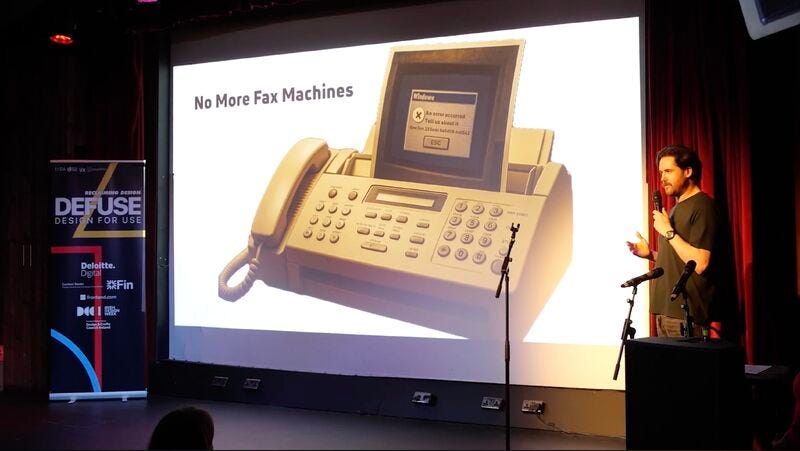
I spoke at DEFUSE 2025 at The Sugar Club in Dublin on Monday 10 November 2025, with a talk on error handling billed as “Why the Best Teams Design for When Things Go Wrong”. You can watch the recording here
Recently Khushi Mehta, who spoke at this year’s DEFUSE (yesterday), messaged me on LinkedIn, knowing I had done it last hear, and asked if I had any tips.
“I had to get AI to teach me how to learn this off in like 48 hours…. let me find the session with ChatGPT to share it with you”.
This post is what was in that chat session, what I actually used from it, and what I built from it afterwards.
Fifteen seconds a slide
Defuse has a fixed format, 20 slides at 15 seconds each, advancing on their own, so five minutes in total with no way to slow it down.
It’s the same shape as an Ignite talk, and close to PechaKucha, which is 20 slides at 20 seconds.
In most talks the slide waits for you. In this format it doesn’t, so if you lose your place, the next slide is already up and you are behind.
That was the hardest talk I’ve ever given, because I usually do have speaker notes or cue cards, and most certainly not auto switching slides.
15 seconds puts you out of your comfort zone for sure.
A week out, one night to learn it
I told Khushi 48 hours, but that was generous. The deck went in about a week before the event, but learning it off didn’t start until the day before.
I procrastinate a lot. I work best last minute, and this was an example of life getting in the way and me leaving things last minute.
With the smell of panic in the air At another failed round of reciting my slides by heart - I opened ChatGPT and asked how best to learn a 20-slide talk off without notes in one day.
The answer started from the point that you can’t learn 20 slides as 20 paragraphs.
Split the talk into four chapters, give every slide one cue word, and learn the cues rather than the sentences.
The talk opened with a fax.
Early in my career a teammate got a support ticket where a customer had photographed an error, printed the photo and faxed it in. So my first cue word was “Fax”, and because the ending came back to the same fax machine, my last one was “Fax again”.
Everything between those two, the trace IDs and how we got teams to actually use them, is in the refreshed Correlation IDs post (#20) and in the recording, so I won’t walk through it here.
On top of the cue words, the answer gave me a handful of techniques.
One was a recall chain made from the first cue of each chapter, to picture before bed, and another was a spot on the stage for each chapter.
It also suggested changing the rhythm on each run, normal, then fast, then slow, saying it out loud while walking around rather than reading it in my head, and learning the first and last line of each chapter word for word.
What I actually kept
Two of those stuck, the cue words and the first and last lines learned word for word. Those are what I used on the night.
The rest, the recall chain, the stage spots and the changes of rhythm, I tried, but I didn’t stay consistent with them.
The last slide
The ending was a joke built around the auto-advance. Slide 19 finished on a question, “You can’t prevent chaos. But you can control how people experience it. And the best thing you can do to control it?”, then moved on by itself to the same fax machine, titled “No More Fax Machines”, and the punchline was “Build better error handling! Oh. Right. Yeah, that too.”
The talk went well, but I didn’t have enough time to do the last slide properly, and the risky fax machine pay-off didn’t pay off.
I had too much in my talk and too much to learn off, and the joke on the last slide needed an intro earlier on that I forgot.
From an old chat to a tool
When I went looking for that session to answer Khushi, the whole conversation from the day before the talk was still there in my ChatGPT export. As well as sending the tips, I used it as the starting point for something anyone could use.
The old chat had the real circumstances in it, a deadline, a one-day cram and a format that wouldn’t wait for me. That kind of history is useful material for building agents, skills or enablement content, because you aren’t starting from a blank page.
How to use it
The result is the No-Notes Talk Coach, free on my tools site. My DEFUSE talk is loaded as the example, so you can see how it works before you paste your own.
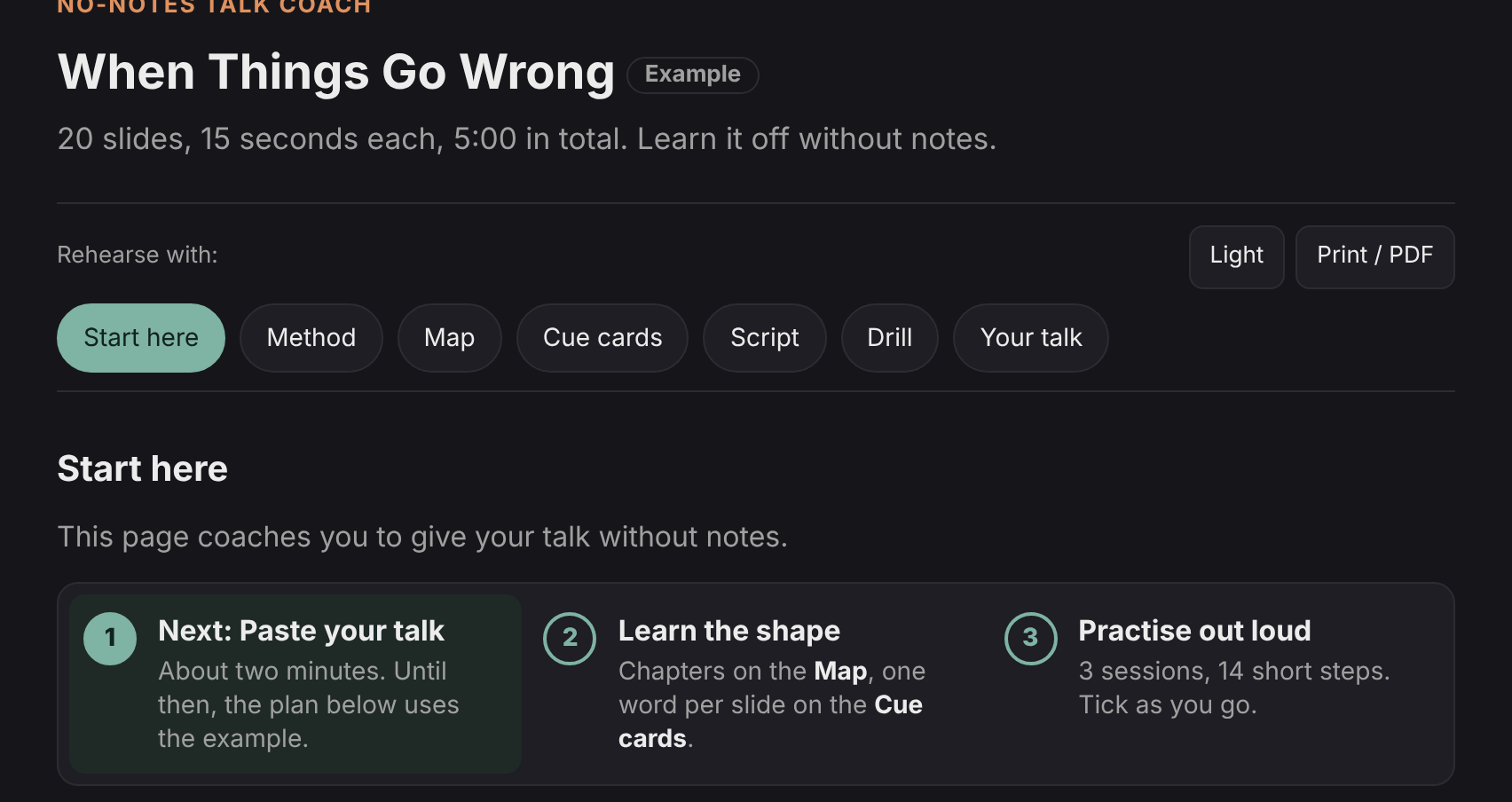
1. Start here. The first tab sets out the three steps, paste your talk, learn the shape and practise out loud, with a plan underneath that you tick off as you go. The plan spreads the method over two nights and a morning, because practice spread over more than one sitting tends to beat a single long one, and sleep does part of the work.
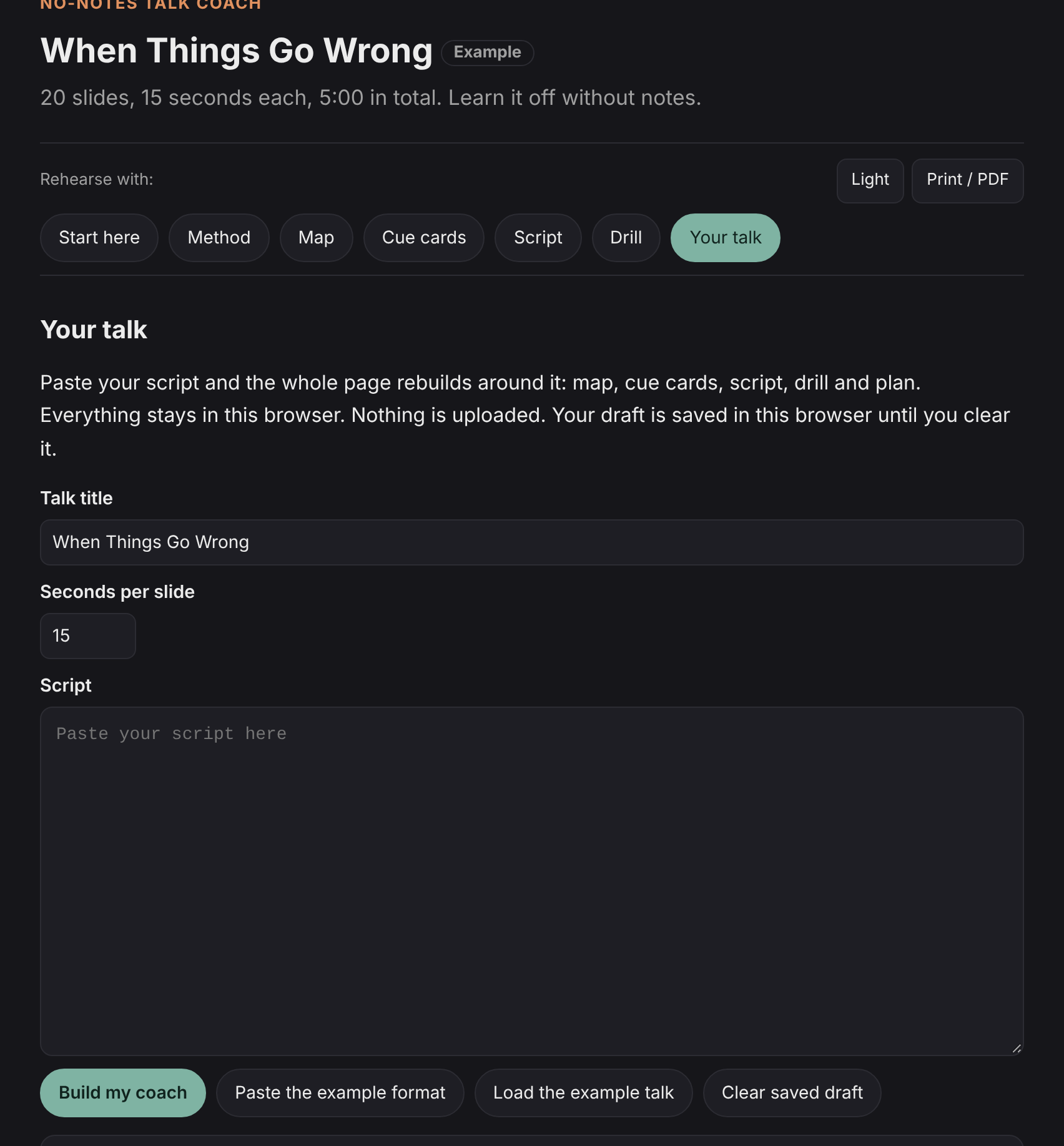
2. Paste your talk. In the Your talk tab, give it a title, set the seconds per slide and paste your script. Press Build my coach and the whole page rebuilds around it. Nothing leaves your browser.
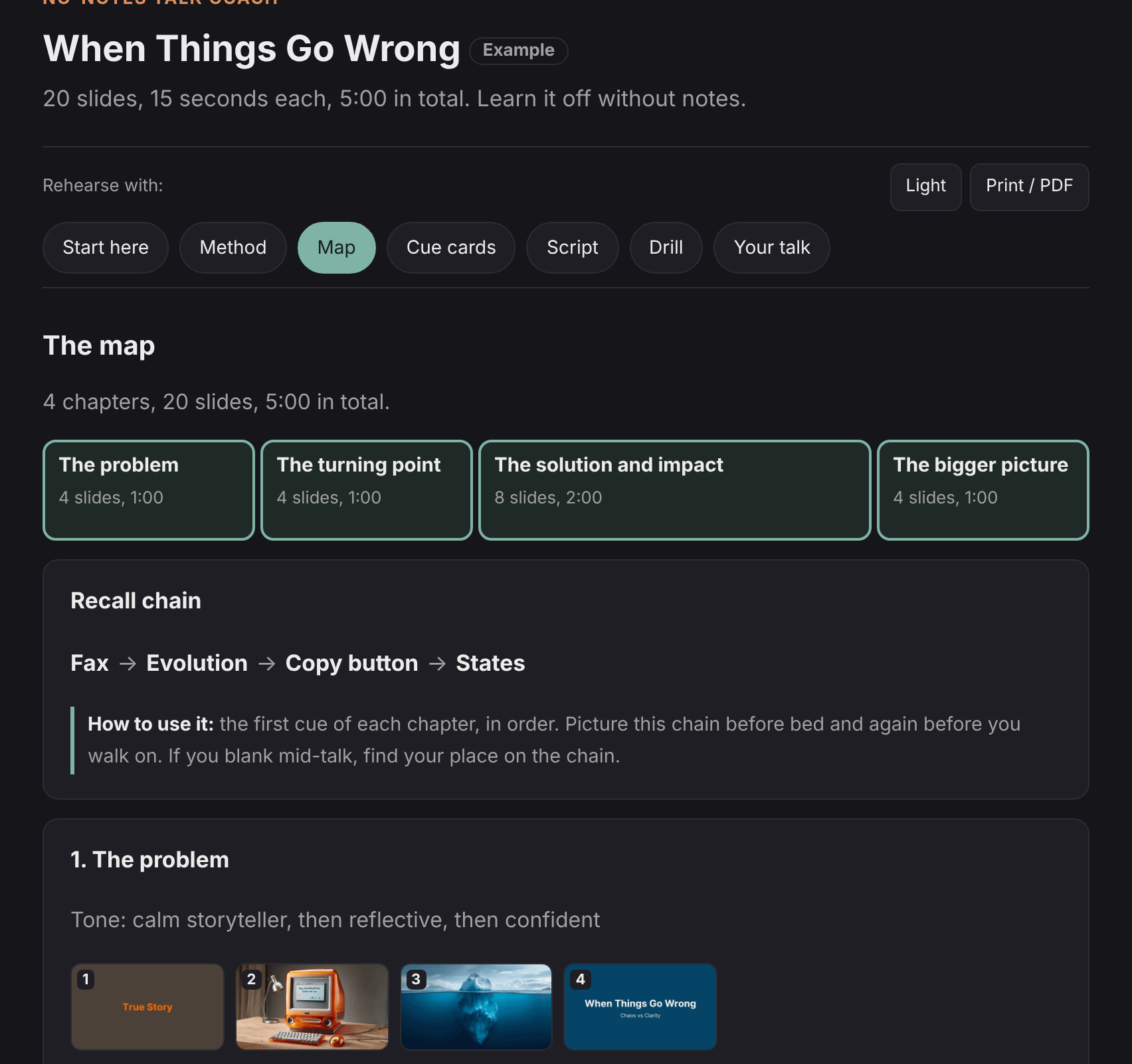
3. Learn the shape on the Map. The Map splits the talk into chapters with the time each one takes, and shows the recall chain, the first cue word of each chapter in order. In my example each chapter also has the slides as thumbnails.
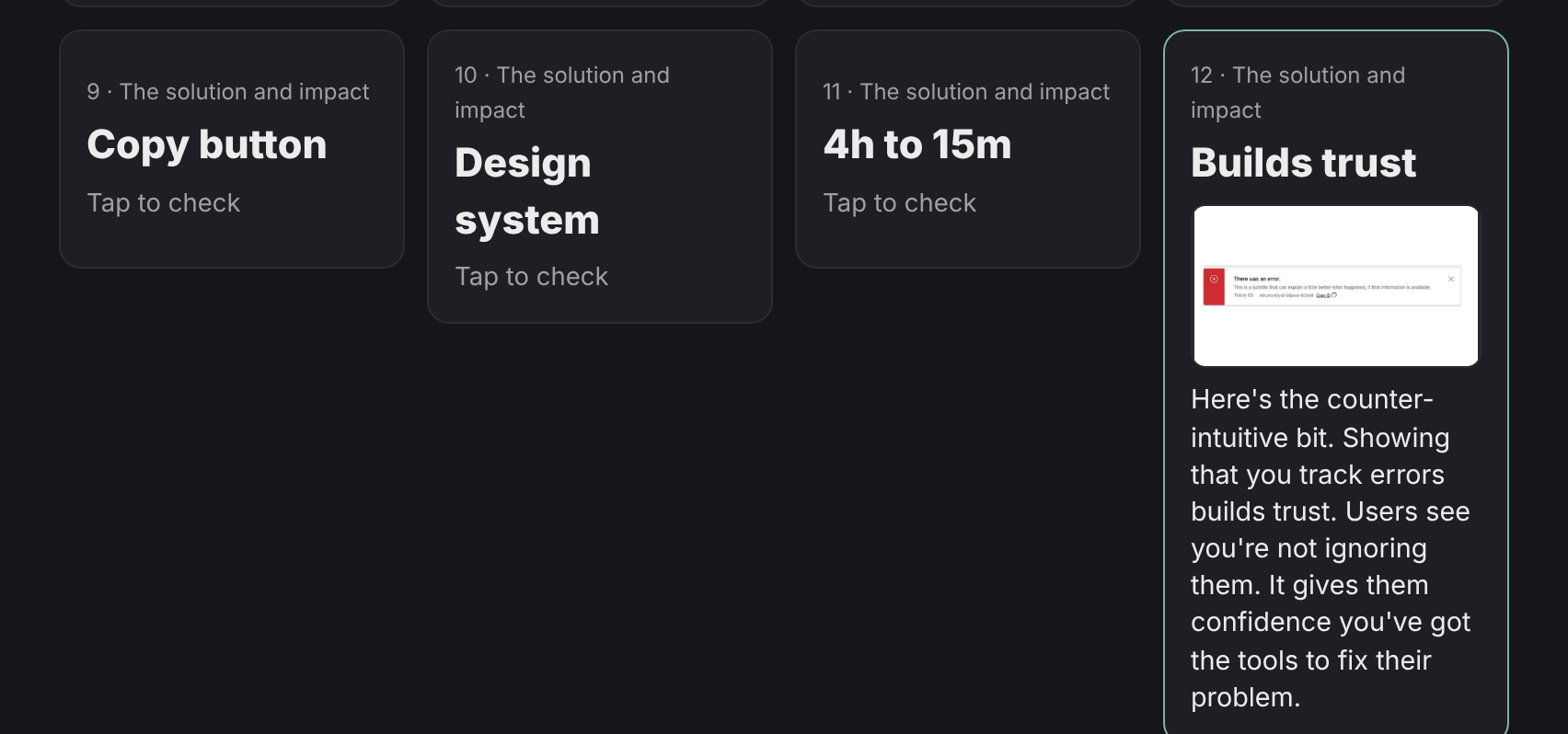
4. Flip through the cue cards. Each card shows one cue word. Tap it to check yourself against the slide and the lines on the back.
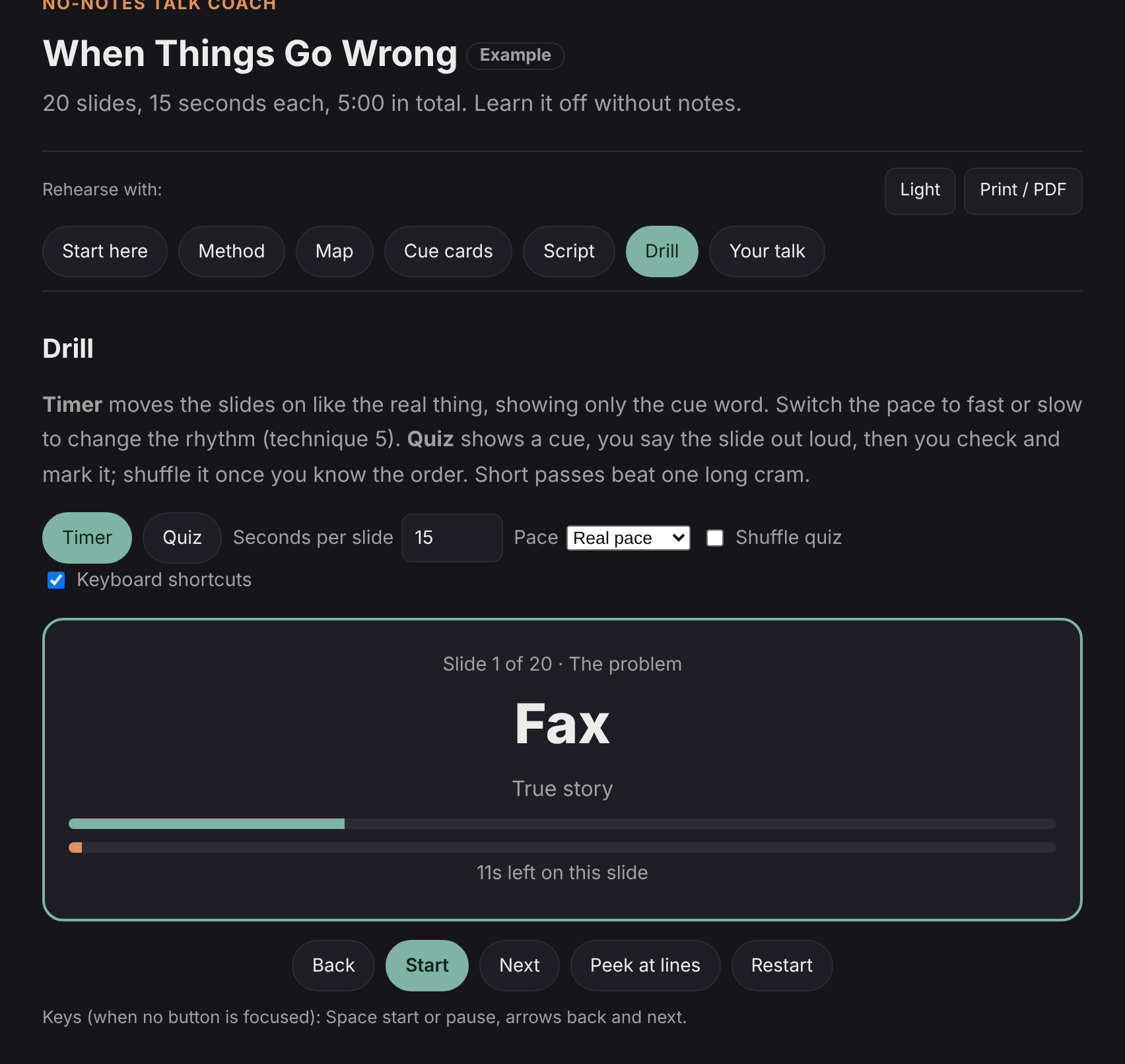
5. Run the Drill. The Timer moves the slides on every 15 seconds and shows only the cue word, like the real thing. Quiz shows you a cue, you say the slide out loud, then check and mark it.
Back to the question
So for Khushi, and anyone else with a talk coming up, my reply came down to three things.
One cue word per slide.
Say it out loud while walking around, not in your head.
Learn the first and last line of each section word for word.
If you are giving a talk soon, have a go with the tool and tell me what is missing.
I’d love if you subscribed! I’m trying to build a bit of a following to try and help folks in the industry and make their jobs a little bit easier.
I’d love if you subscribed! I’m trying to build a bit of a following to try and help folks in the industry and make their jobs a little bit easier.
References
Ignite talks (20 slides, 15 seconds, auto-advance), About: https://ignitetalks.io/about
Pecha Kucha presentations explained (20 slides, 20 seconds): https://prezi.com/blog/pecha-kucha-presentation/
Spacing
Cepeda et al. (2006), Distributed practice in verbal recall tasks: A review and quantitative synthesis, Psychological Bulletin: https://pubmed.ncbi.nlm.nih.gov/16719566/
Sleep and memory consolidation
Diekelmann and Born (2010), The memory function of sleep, Nature Reviews Neuroscience: https://doi.org/10.1038/nrn2762
Rasch and Born (2013), About sleep’s role in memory, Physiological Reviews: https://doi.org/10.1152/physrev.00032.2012