

I’ve been experimenting a lot recently with HTML prototypes. They’re a cheap, quick way to get an idea across, whether it’s a product concept, enablement material or just something I made for fun. I self-host them at tools.youngleaders.tech - free, no sign-up, nothing leaves your browser.
This post is the index. Whenever a new one goes up, I’ll add it to the top, so if you’re checking back, the newest is always first.
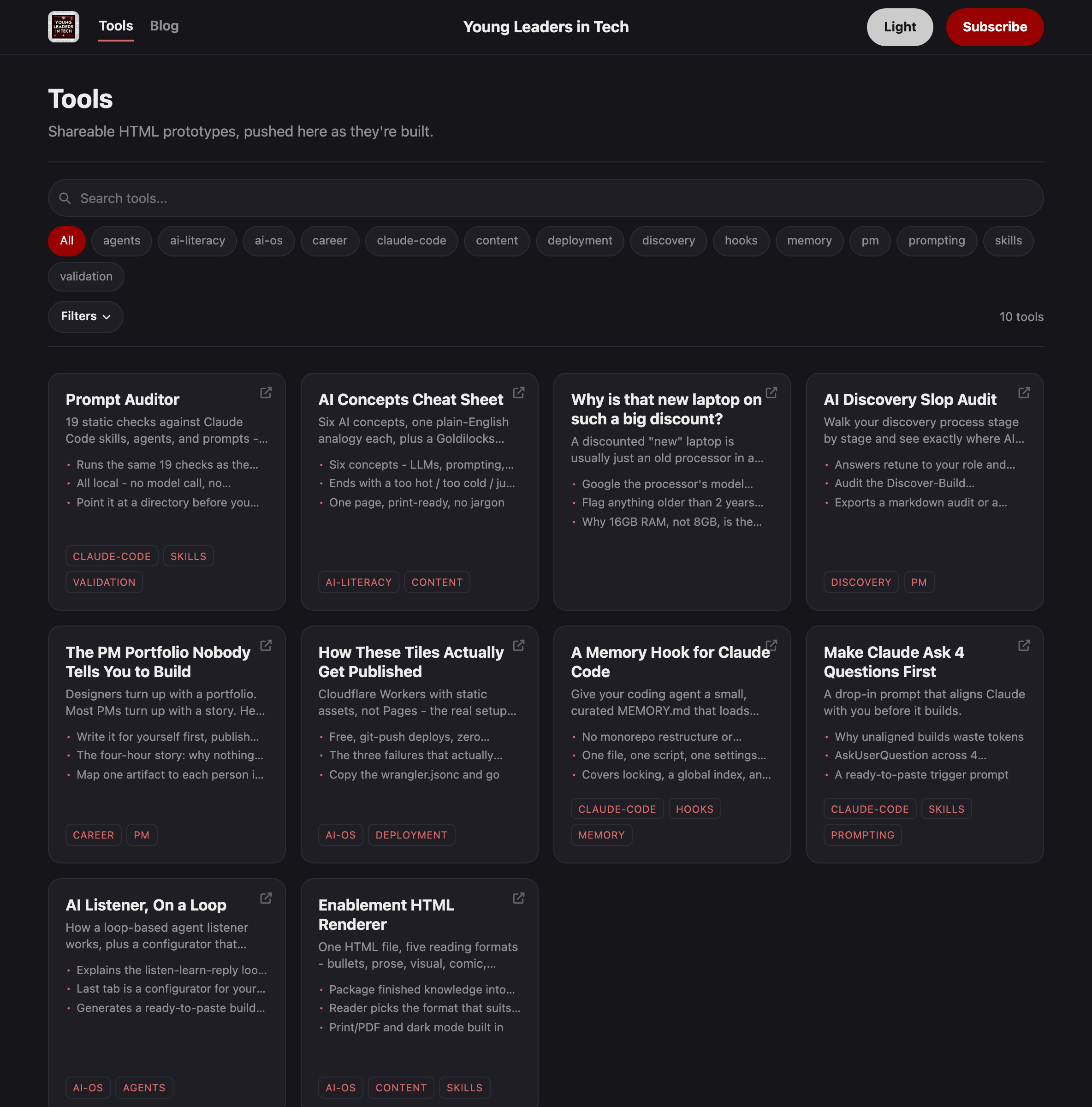
Here’s what’s there so far.
Find what’s wrong with your skills, agents and prompts without spending any tokens
I sorted my Claude Code memory. Here’s the hook that might help with yours
Make Claude ask you 4 questions before it builds the wrong thing. Here’s the prompt
How my Claude skill turns anything into an artefact people can read five ways
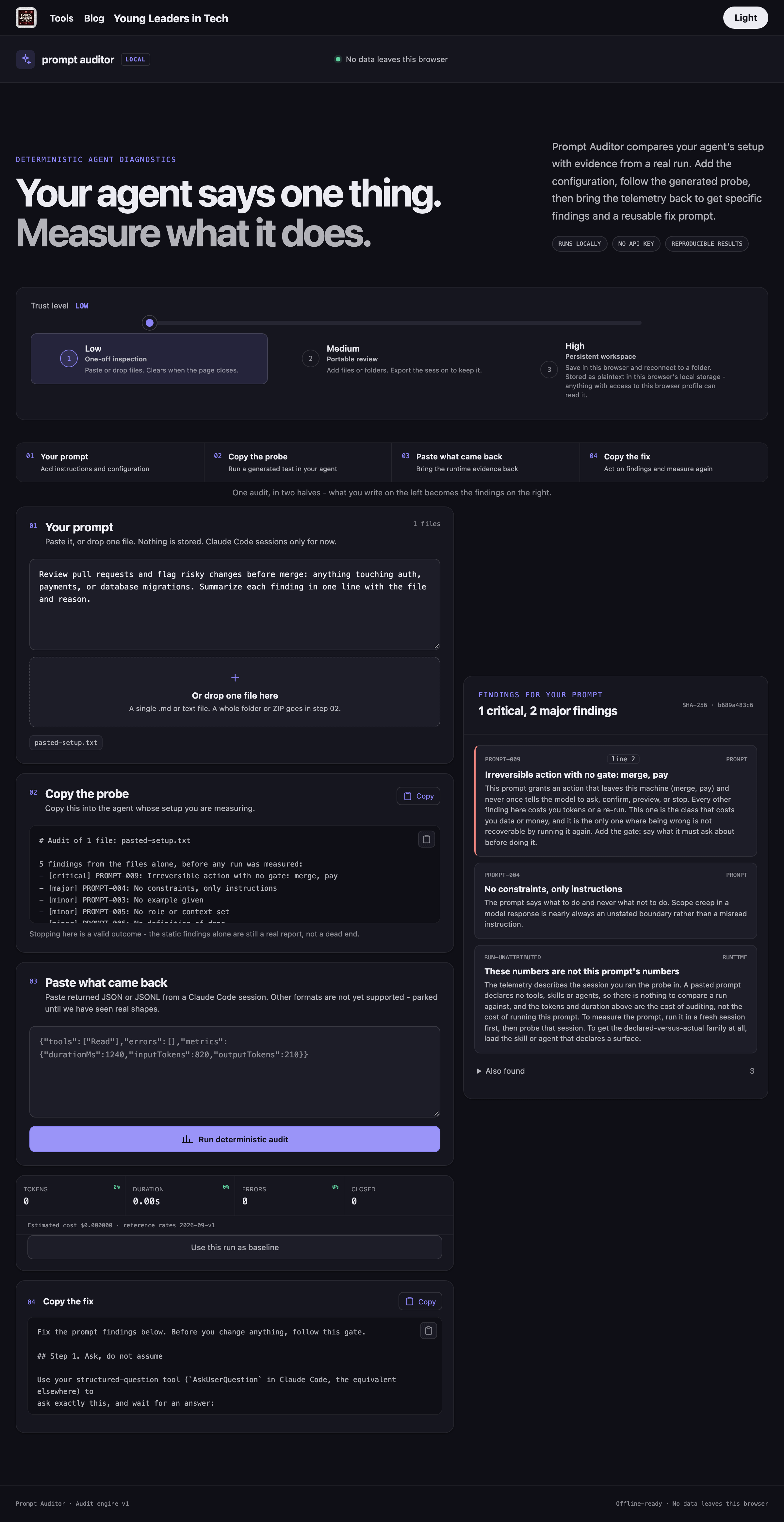
Find what’s wrong with your skills, agents and prompts without spending any tokens
Added 12 Sep 2026
It started as a hackathon build, and the whole page is built around how much you’re willing to trust it.
At the lowest level, paste a skill, an agent or a prompt and it tells you what’s wrong from the file alone. No model call, nothing leaves your browser, and it clears when you close the tab.
Trust it more and add whole folders, so it checks every file and every cross-reference between them. Trust it fully and it remembers the folder in your browser, so you stop re-picking it.
The checks are the same at every level. Only the convenience changes, so you can stay on the first one and still get the whole result.
When you’re ready, it hands you a prompt to run in your own agent. Paste the result back and it compares what your setup declared with what the run actually did - tools granted and never used, steps quietly skipped.
Everything above is building towards the last step, the plugin’s pre-commit hook, which runs the same checks inside your repo and stops a commit that would make things worse. It’s off until you turn it on.
Six AI concepts explained through three real-life personas


Added 30 Aug 2026 · Updated 11 Sep 2026
Six AI concepts, each explained with one plain-English analogy, no jargon:
LLMs
Prompting
Hallucinations
Data and privacy
AI agents
Tokens and cost
It ends with a too hot / too cold / just right lens for judging your own AI use, so it’s not just definitions, it’s a way to check yourself.
One page, print-ready.
Built for the non-technical person in your life who nods along in AI conversations but would never admit they’re lost.
Why is that new laptop on such a big discount?
Added 13 Aug 2026
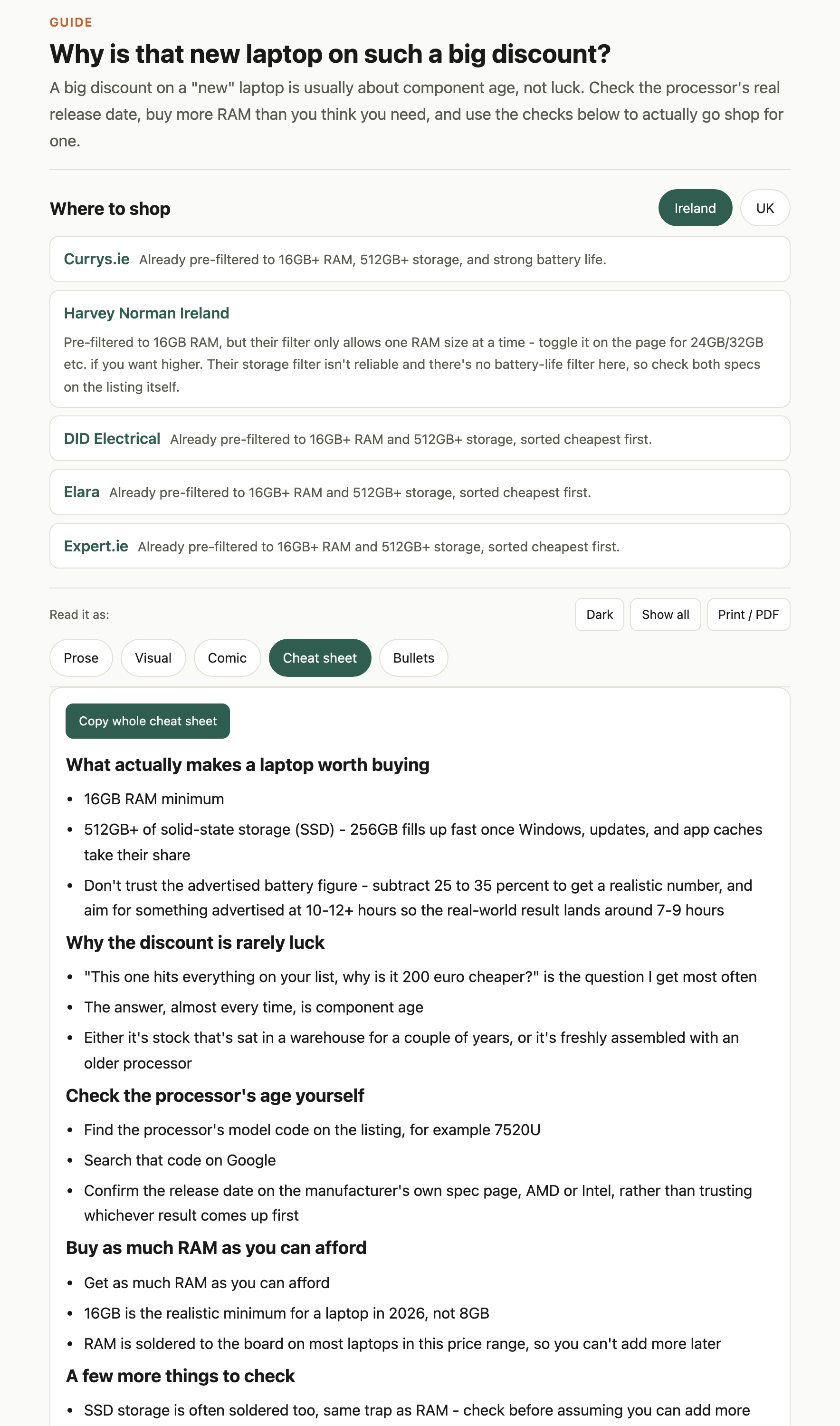
I’m the techy for my family and friends, so I’m the one who gets asked what laptop to buy. My checklist is short - 16GB RAM minimum, a 512GB+ SSD (256GB fills up faster than it looks like it should), and don’t trust the advertised battery figure, since manufacturer claims typically overstate real-world battery life by 25 to 35 percent.
But that checklist doesn’t explain the question I get most often - this one hits everything on your list, why is it 200 euro cheaper than everything else? The answer, almost every time, is component age. Either it’s stock that’s sat in a warehouse for a couple of years, or it’s freshly assembled with an older processor.
The fix is simple - find the processor’s model code on the listing (something like 7520U), search it, and confirm the release date on the manufacturer’s own spec page rather than trusting whichever result comes up first. Older than 2 years, treat the discount as a warning label, not a bonus.
And buy as much RAM as you can afford up front - it’s soldered on most laptops in this range, so what you buy on day one is what you’re stuck with.
Is your AI discovery shipping slop? Find out where
Added 9 Aug 2026
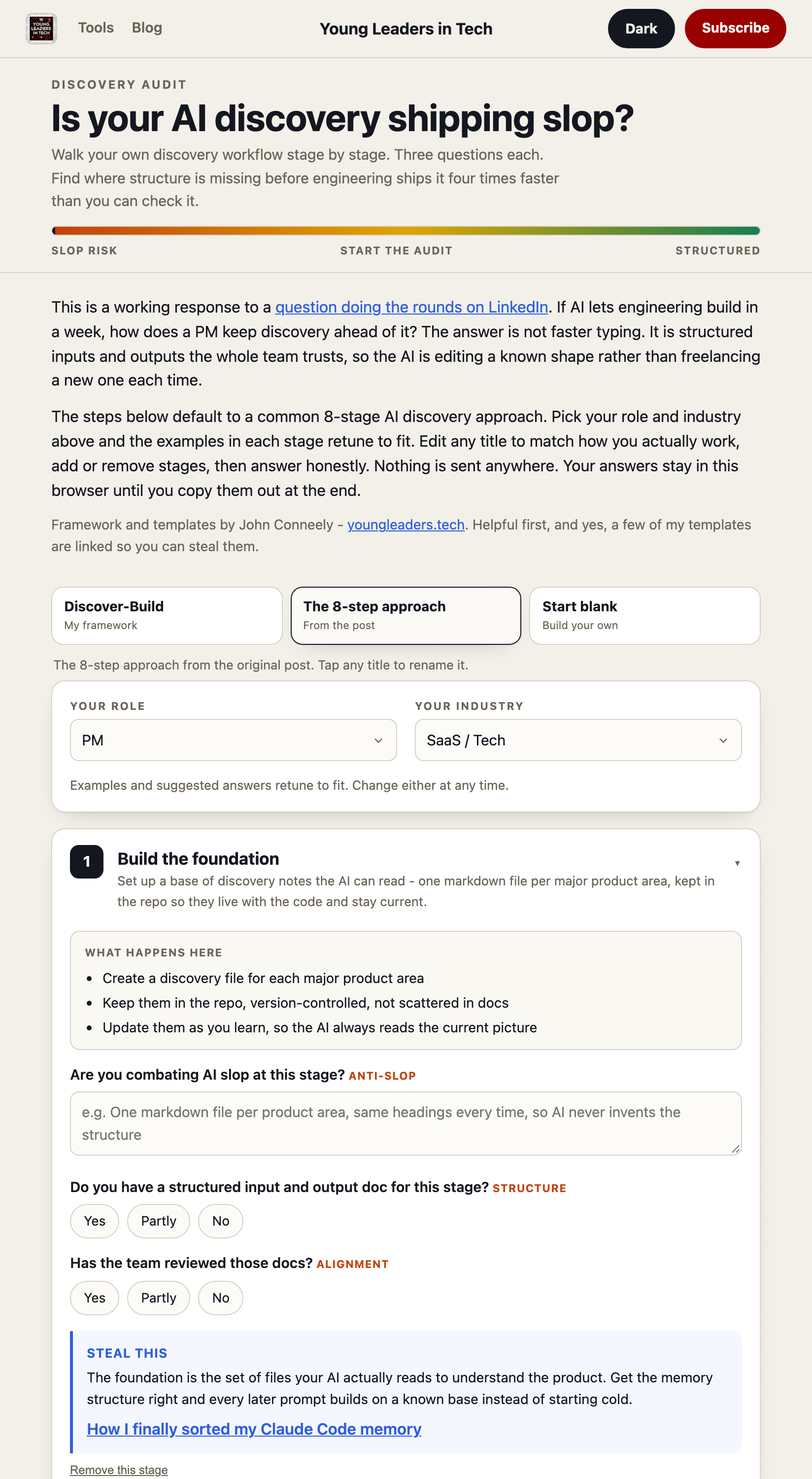
Every discovery process has a step where AI is quietly (or loudly) generating slop nobody assigned it to produce, and it usually surfaces at the worst moment - mid-sprint-planning, staring at a ticket with a field or product name nobody in the room can explain.
This tool audits that directly. Pick my Discover-Build framework, a popular 8-step approach, or bring your own process, then answer a few questions tuned to your actual role and industry. You get back a markdown audit (or a ready-to-post LinkedIn write-up) naming exactly where the slop crept in.
All local, nothing leaves the browser.
A three-stage PM portfolio you can start in twenty minutes
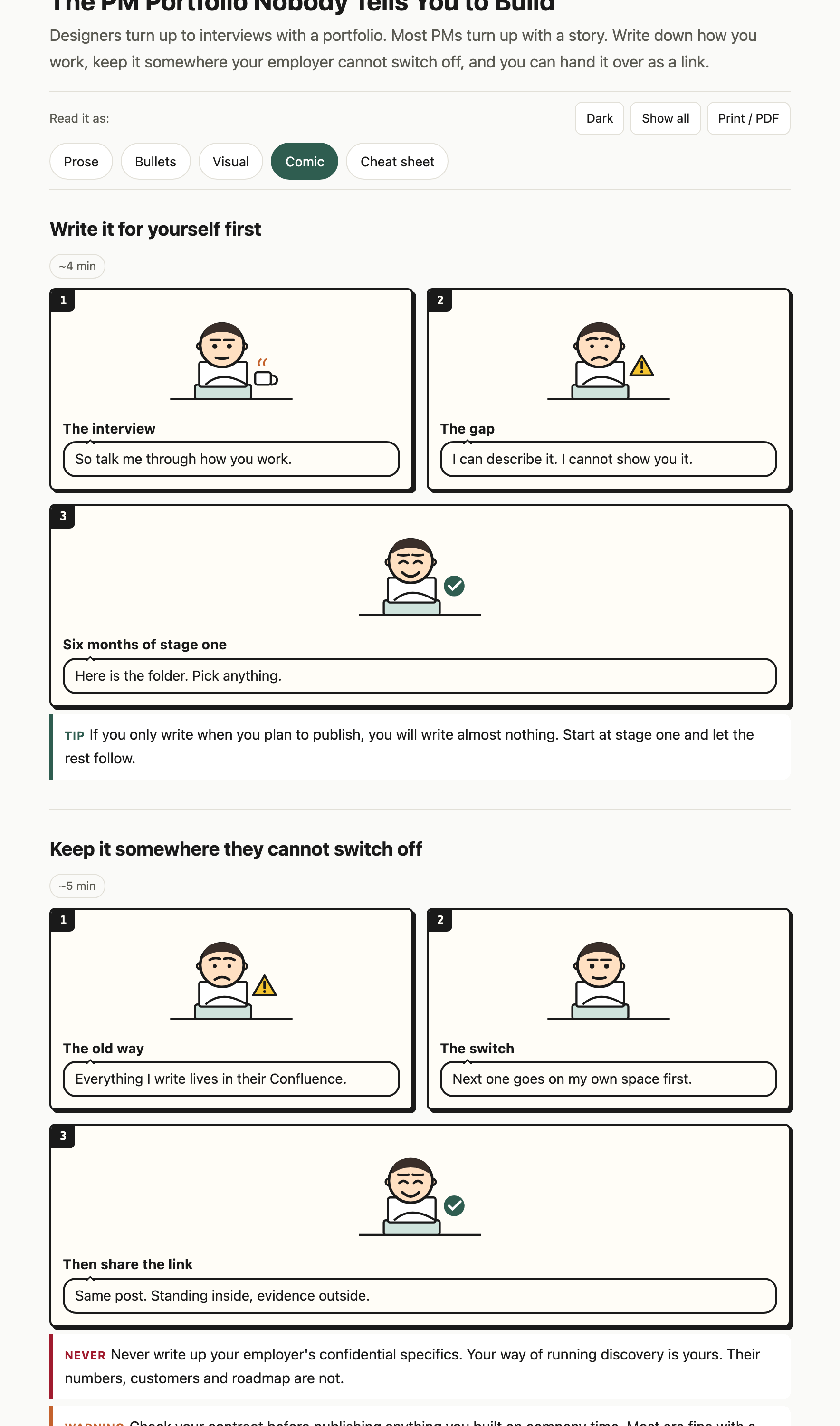
Added 5 Aug 2026
When I was made redundant, there were four hours between finding out and the meeting where I handed everything back.
Everything useful I’d written was sitting in Jira and Confluence. It came out in time, but only because I happened to have those four hours.
That’s luck, not a system.
This tool is the better lesson - never be in that position at all.
Write it on your own space from the start (a free Substack, GitHub Pages, a public Notion page, twenty minutes to set up), so there’s nothing to rescue later.
Stage one is private, stage two is one link shared internally, stage three is public and optional.
You never have to reach stage three for the first two to pay off.
How these tools get published on Cloudflare
Added 4 Aug 2026
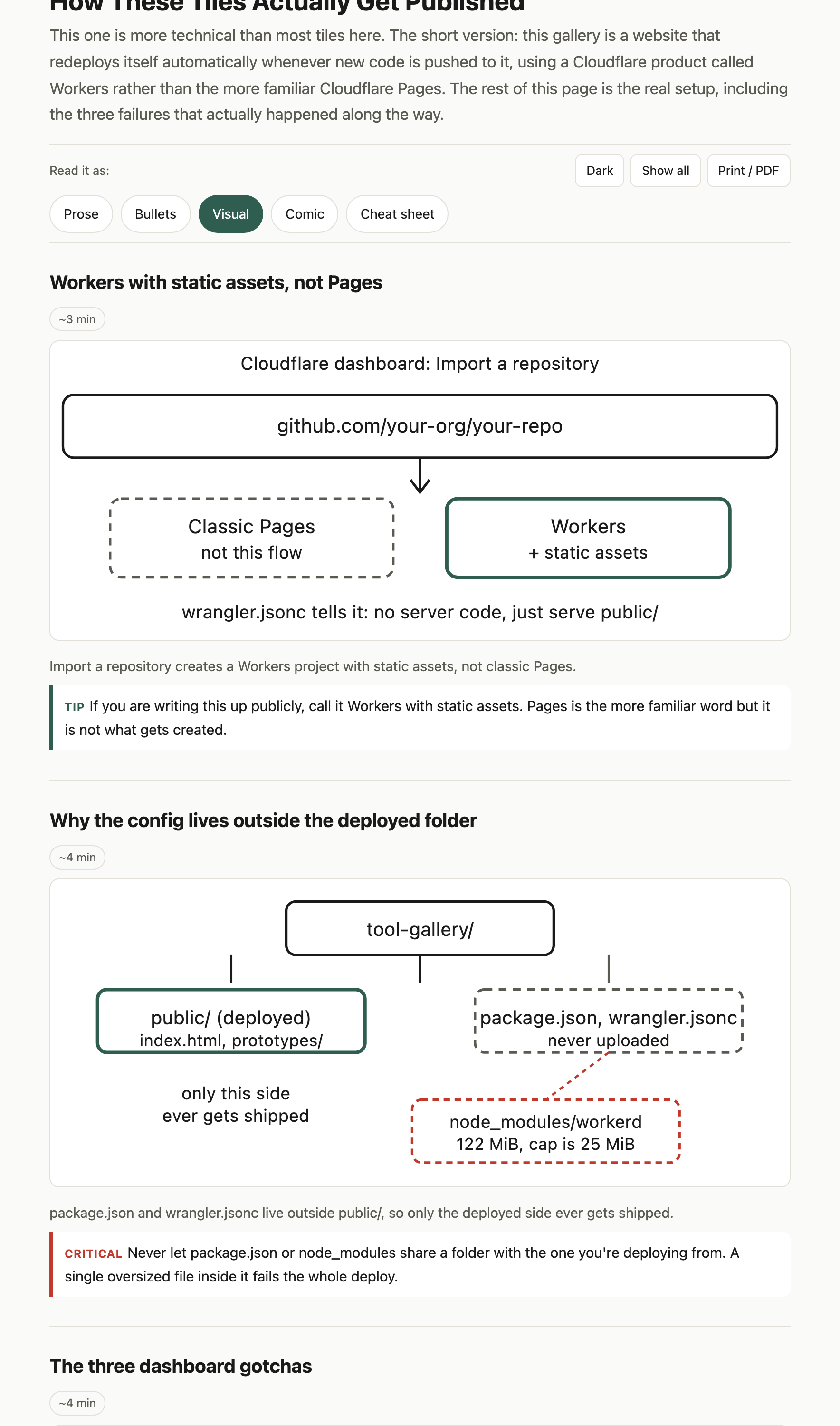
People keep asking how the tools gallery actually goes live, so here’s the honest version, failures included.
It runs on Cloudflare Workers with static assets, not the classic Pages flow - looks identical to a visitor, but the deploy mechanism is different, and wrangler.jsonc is the file that makes it work.
It broke three times before it held.
First, node_modules ended up sharing a folder with the deployed assets, and the deploy tool tried to upload a 122 MiB file from inside it - Workers caps a single asset at 25 MiB, so the deploy failed outright until the config moved outside public/.
The other two were dashboard settings, not code - the root directory field wants a bare folder name (tool-gallery), not a file path (/tool-gallery/index.html fails at the cloning step), and Cloudflare’s dashboard has been seen auto-capitalising the deploy command to npx wrangler Deploy, which the case-sensitive CLI rejects.
The real wrangler.jsonc and all three fixes are on the page.
If you’re shipping something similar, take the config and skip the mistakes.
I sorted my Claude Code memory. Here’s the hook that might help with yours


Added 29 Jul 2026
The full story of how I actually sorted my Claude Code memory problem is on Substack already, false starts included.
How I Finally Sorted My Claude Code Memory | #98
This tile is the companion - the actual hook.
It’s a PreToolUse hook, one Python file with no external dependencies, that reads a MEMORY.md at your project root and pushes it into context before the agent does anything.
A time guard keeps it firing at most every 30 minutes per session, so it stays quiet on every call in between.
The template is three sections - Key Facts, Conventions, Open Questions - one line per fact, linking out to detail files for anything longer.
Copy the script, adapt the template, done.
A guide to agent listener loops and a tool to make your own


Added 28 Jul 2026
I couldn’t find a clean explanation anywhere of how a loop-based agent listener actually behaves once it’s running, so this exists to fix that.
Five different formats walk through the same mechanism: listen, learn, reply, round again.
The part that matters most is the last tab - a configurator that takes your setup and generates a ready-to-paste prompt for building your own version.
Ten minutes, if you build with agents.
Make Claude ask you 4 questions before it builds the wrong thing. Here’s the prompt


Added 28 Jul 2026
This isn’t the essay. The essay - Stop Claude building the wrong thing - is where I worked through why Claude builds confidently and wrongly when nobody aligns it first.
Stop Claude Building the Wrong Thing and Make it Ask you 4 Questions First | #100
This is the artefact, the actual prompt, ready to paste, that makes Claude ask 4 questions before it starts, wired through AskUserQuestion (Claude Code’s built-in question tool) across all 4 surfaces.
If you’ve already read the post, this is the tile it is describing.
How my Claude skill turns anything into an artefact people can read five ways
Added 28 Jul 2026 · Updated 5 Aug 2026
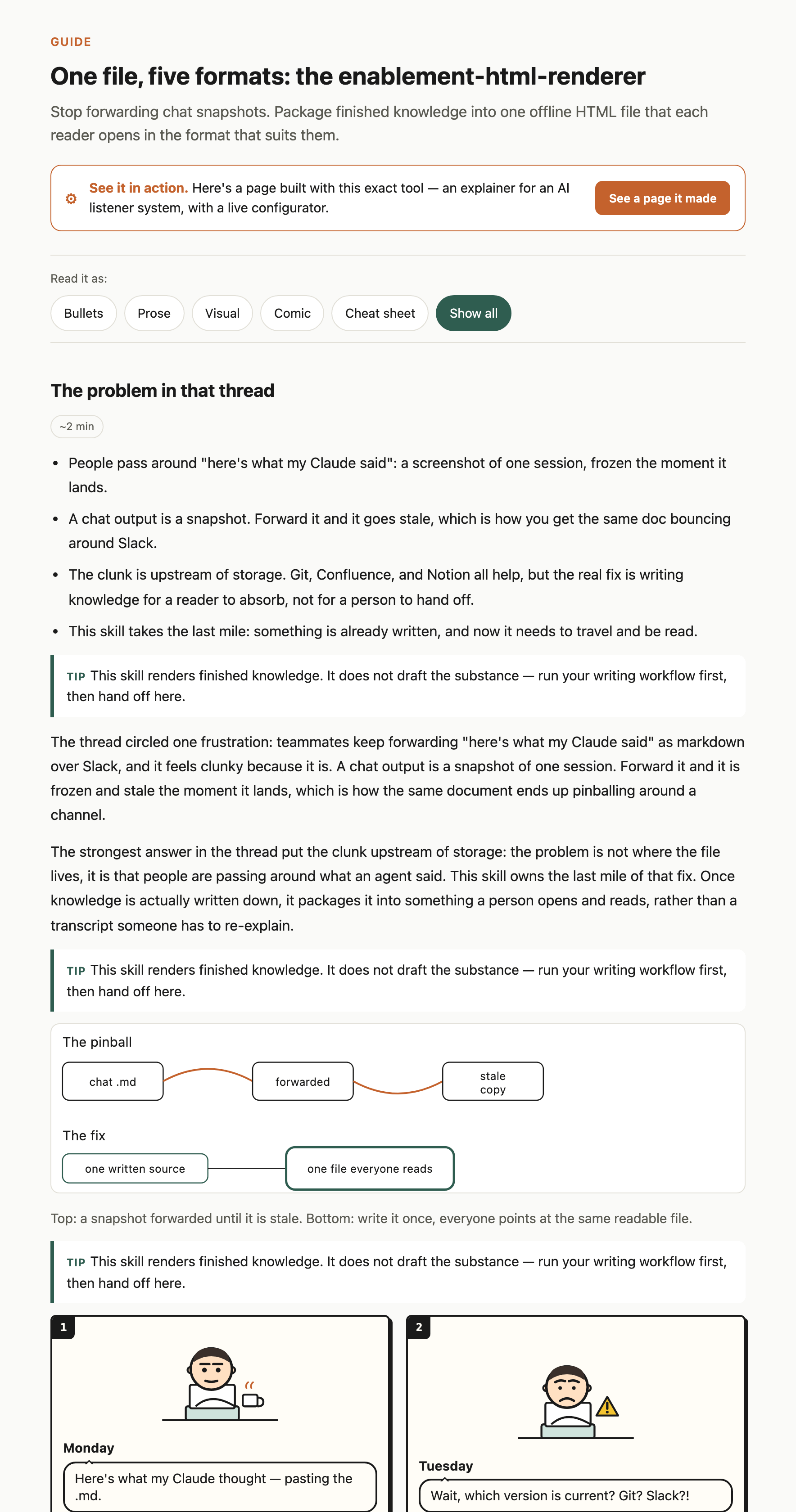
Every doc I write ends up serving two audiences with two different patience levels - the skim reader and the read-every-word reader - and normally I pick one and disappoint the other.
This page explains the skill I built so I don’t have to pick. Point it at anything you want to explain and it packages the finished knowledge into a single offline HTML file. The reader chooses their own format - bullets, prose, a visual layout, a comic version or a cheat sheet.
Same source, five ways in.
The page shows how it works, so you can see what the skill does before you install it. Print/PDF support and dark mode are built in.
It’s aimed at anyone who needs to hand off finished knowledge to someone else. The skill itself is on my Claude marketplace here.
More of these are coming. If you build something after using one, or want a tool for a specific problem you keep running into, reply and tell me.
I’d love if you subscribed! I’m trying to build a bit of a following to try and help folks in the industry and make their jobs a little bit easier.