

Claude Fable 5 runs at roughly twice the price of Opus 4.8, and Opus was already the expensive option at the top end. So the cost of Claude confidently building the wrong thing for an hour just went up, not down. Wasted tokens have never been more expensive.
The cheapest insurance against that is low-tech, and you already have it. Get Claude to agree what it is building before it builds it.
The tip in one line is this.
Tell Claude to use its AskUserQuestion tool to force alignment before it writes anything non-trivial.
There is a native tool for exactly this called AskUserQuestion. It pauses, asks you a few pointed multiple-choice questions, you click, and it carries on with the ambiguity gone. Most people only ever meet it inside plan mode and assume that is the only place it lives. It is not, and you can fire it any time.
Agree what you are building before it builds it. That is the whole tip.
There is a drop-in prompt block later in the post that wires this up properly, so stick around for that if you want the copy-pasteable version.
Why it is important to catch drift early
The headline value here is not saving yourself a few clicks. It is catching drift early.
Drift is the moment you and Claude stop sharing the same understanding of what you are building.
It rarely announces itself.
You only notice once you are already off-track, and by then you have usually paid for the detour.
In practice it tends to look like one of three things:
Rabbit holes that feel productive but go nowhere
Loads of tokens spent with no improvement in the output
Bugs you cannot resolve because the thing was built on a wrong assumption three steps back and no amount of debugging the symptom will fix the cause.
The reason it hurts is that misalignment compounds. Every step Claude takes on a wrong assumption is a step you later have to unwind, and the further it runs before you catch it, the more expensive the unwind.
A few pointed questions at the beginning when planning, and also at the first sign of drift resets alignment before any of that misalignment becomes more of a problem. It is cheap when you catch it early and genuinely expensive when you catch it late, which on current frontier-model pricing is a sharper point than it used to be.
So it helps to stop thinking of the question tool as a nicety that lives in plan mode and start thinking of it as a drift detector you can fire on demand.
The moment you and Claude stop sharing the same picture is the moment you start going in circles. Catch it there, not three rabbit holes later.
All the ways to do it, and which surface gives you what
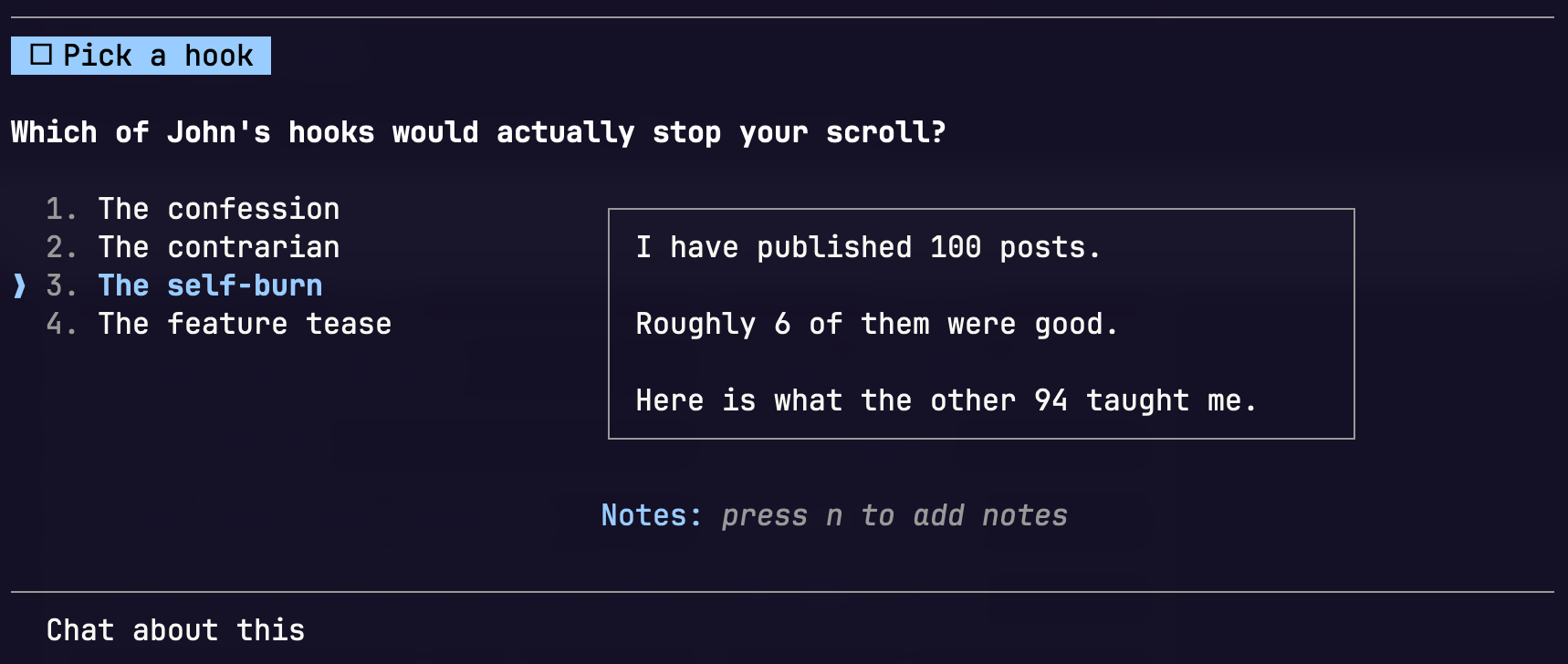
Note: Where the same question screenshot shows up twice (like below), that is me putting Claude Code next to Claude web or desktop so the difference is easy to see
There are roughly four places you will meet this tool: Claude Code in the terminal, Claude Code on the desktop, the Claude chat app, and Cowork. The capabilities are not identical across them, and none of this is written down in one place, so what follows is what I have actually seen on screen, as of June 2026.
Two things work in all four, and they are the two you will use most.
Single-select, one answer from a short list. (I don’t think this shows the subtext in desktop chat)
Claude Code gives each option its own description (in both desktop and terminal).
A line of context under every choice, so “Once a week” can carry “the version of John that exists in his calendar” underneath it. The chat app shows the bare label and nothing else.
That extra line matters more than it looks, because it is the difference between the model guessing what an option means and being told. This does not happen in Cowork or chat.
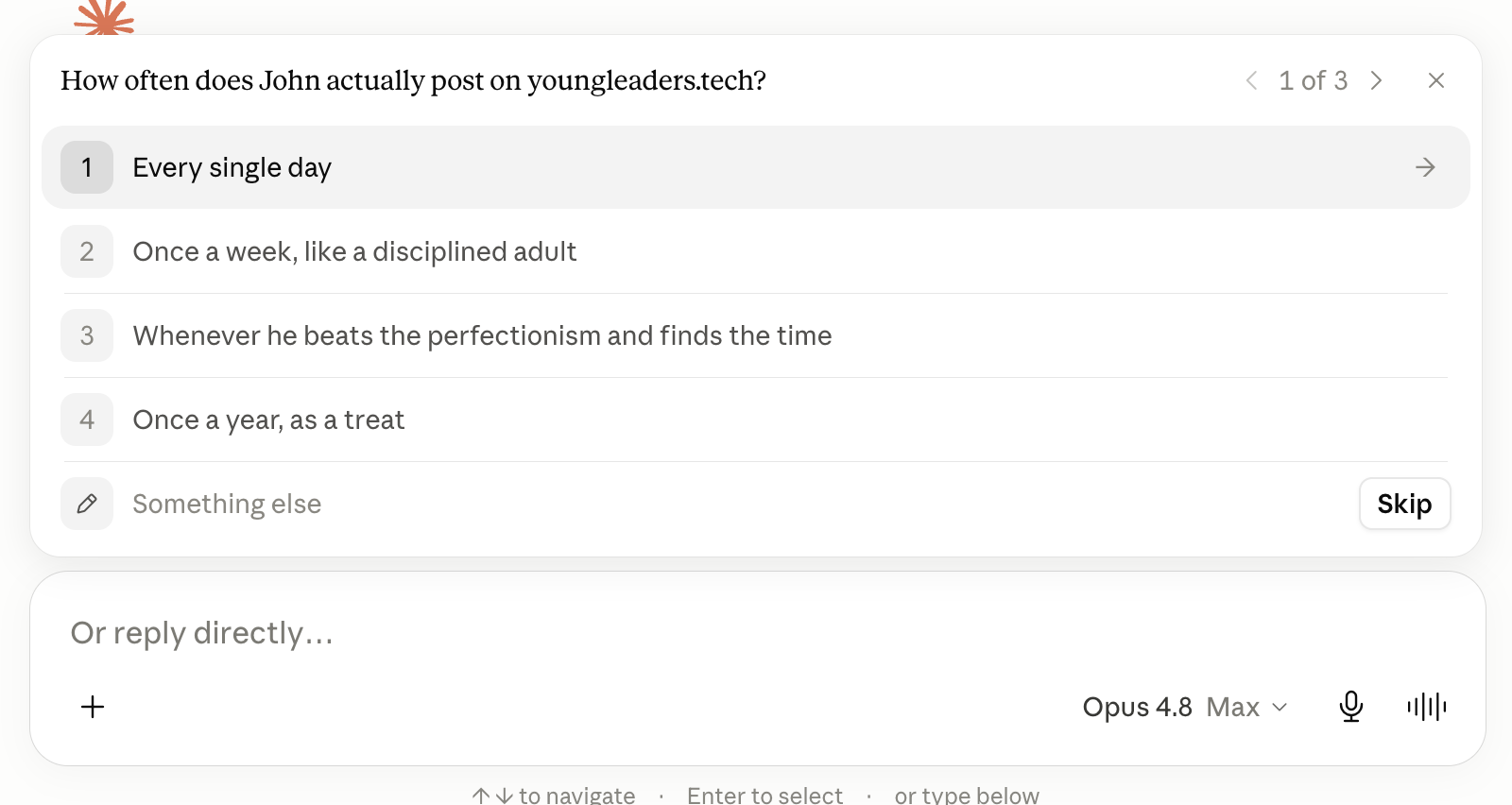
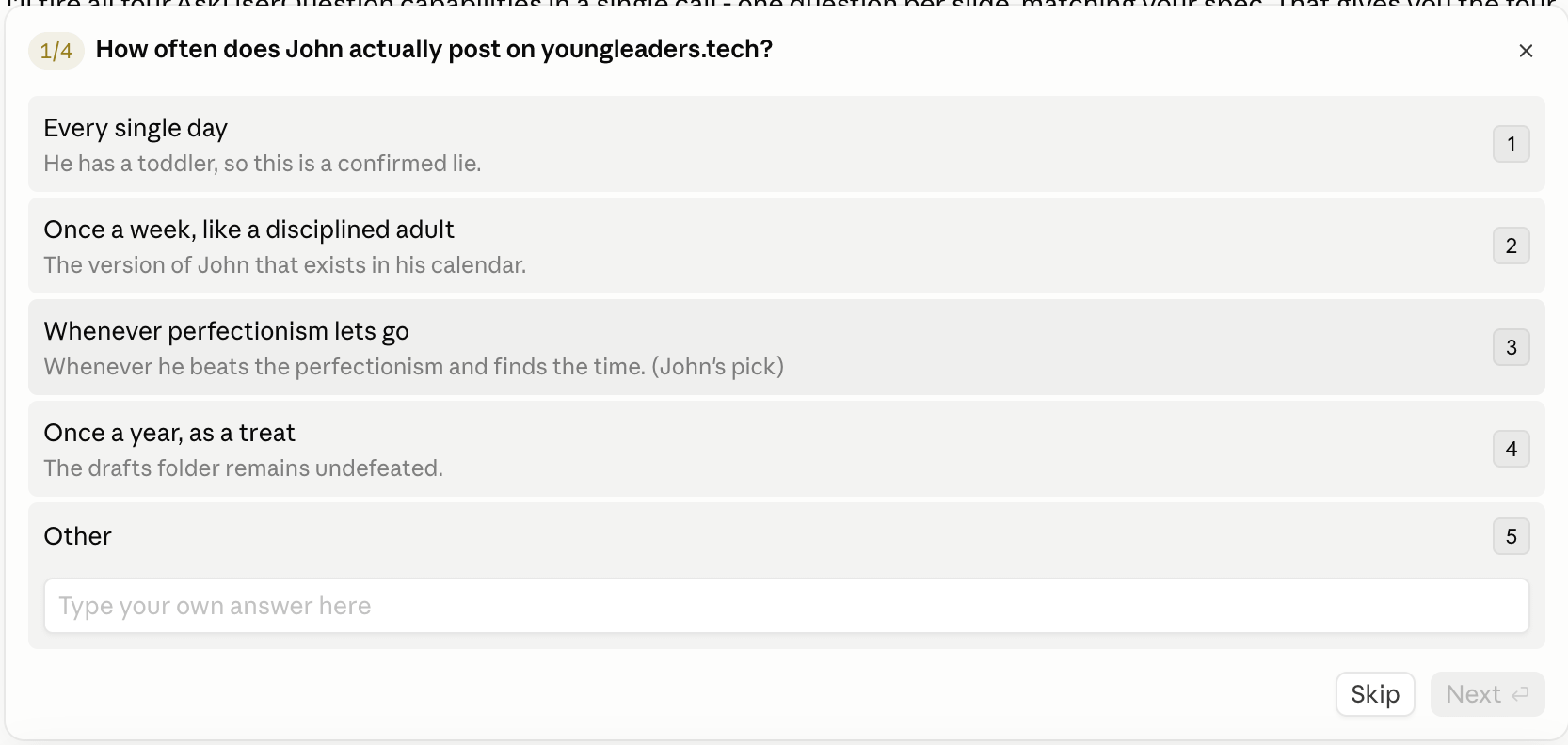
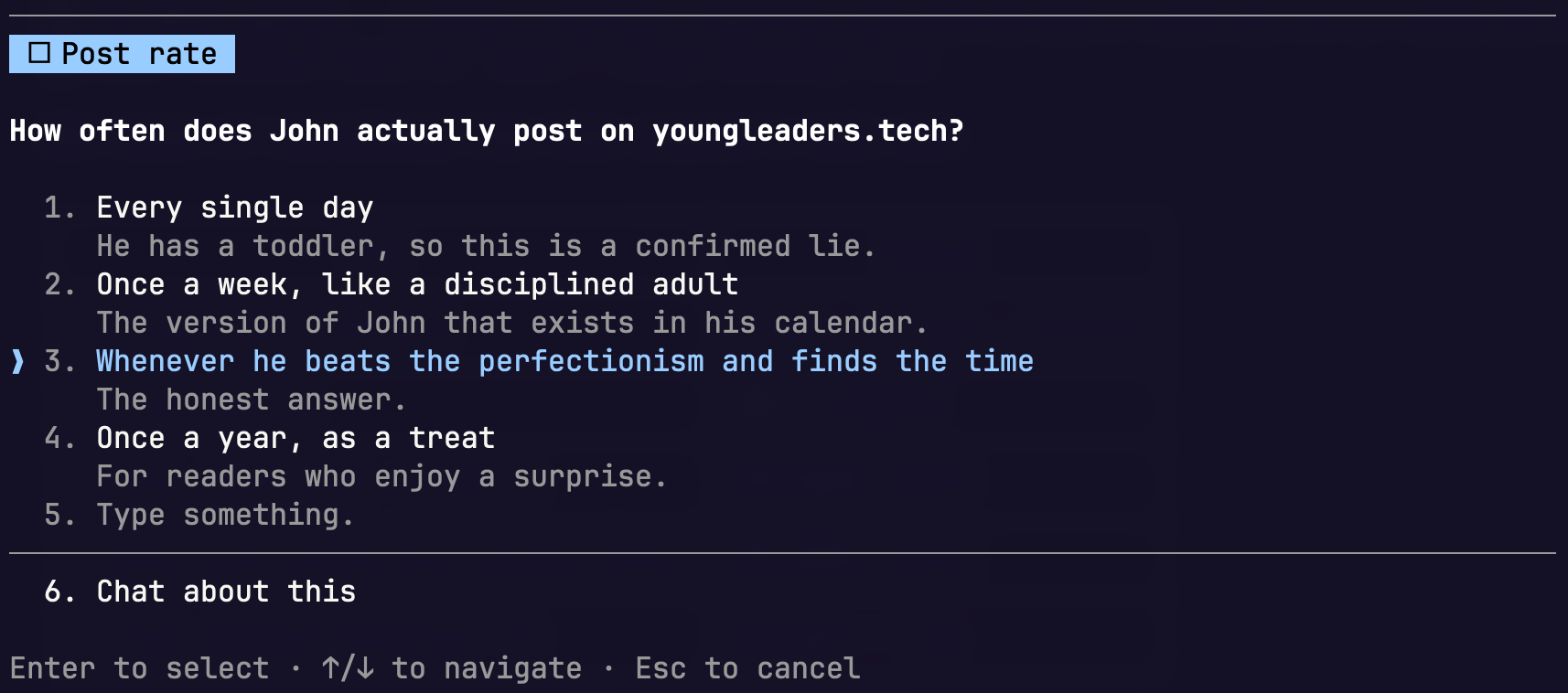
Multi-select, where you tick as many as apply. There is also always a free-text escape (”Other” in Claude Code, “Something else” in the chat app), so nobody is ever trapped by the options on offer. If those three are all you need, you can stop reading and go and use it.
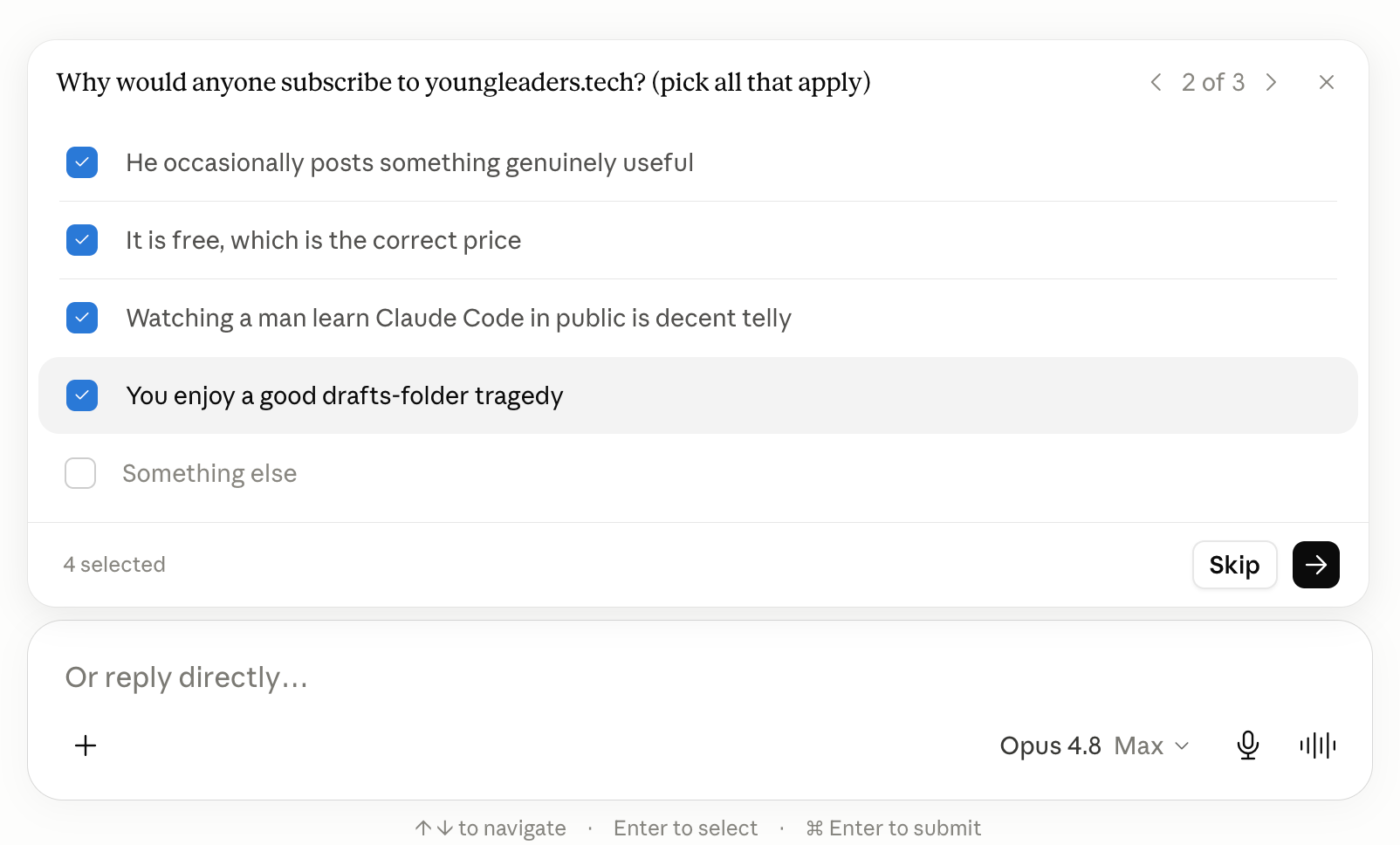
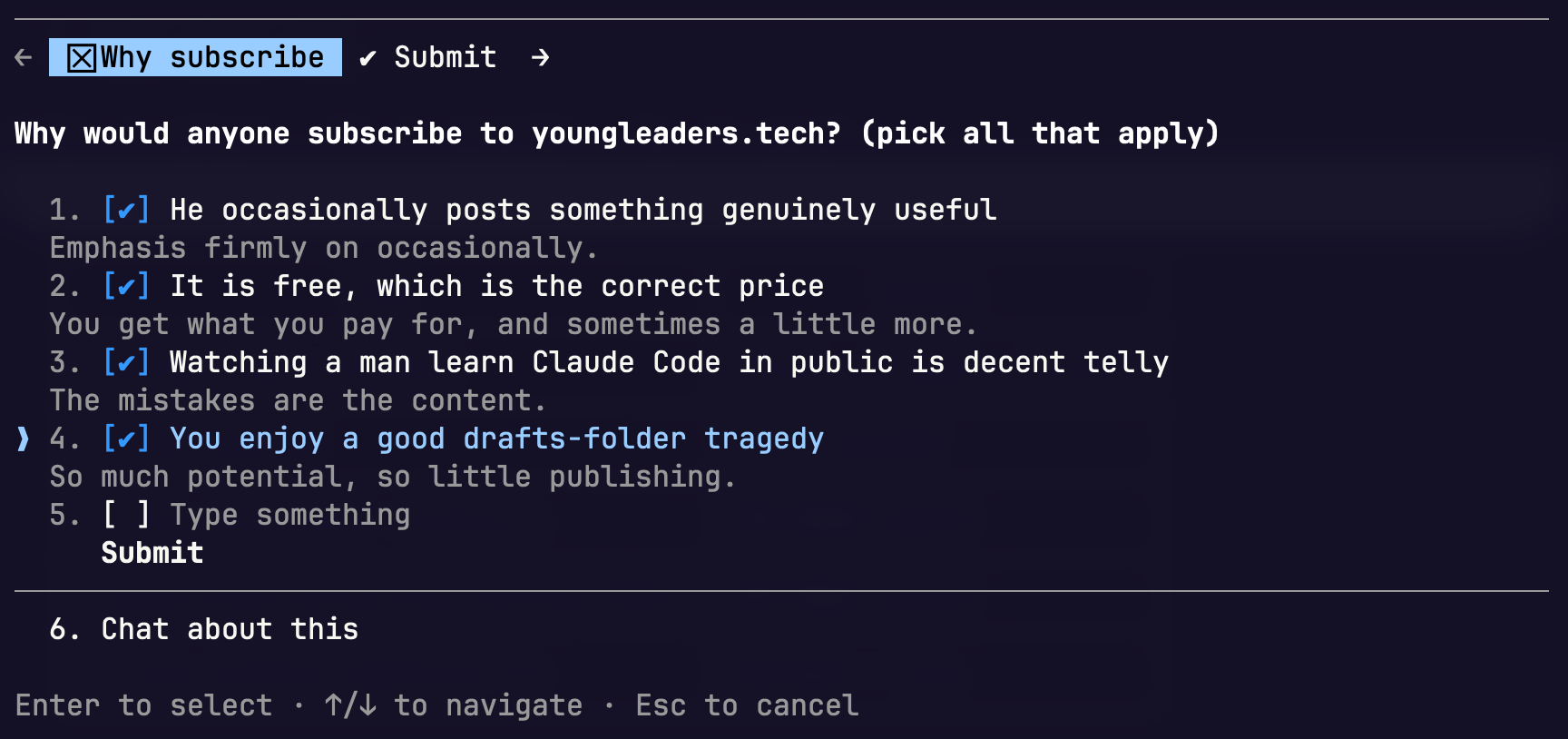
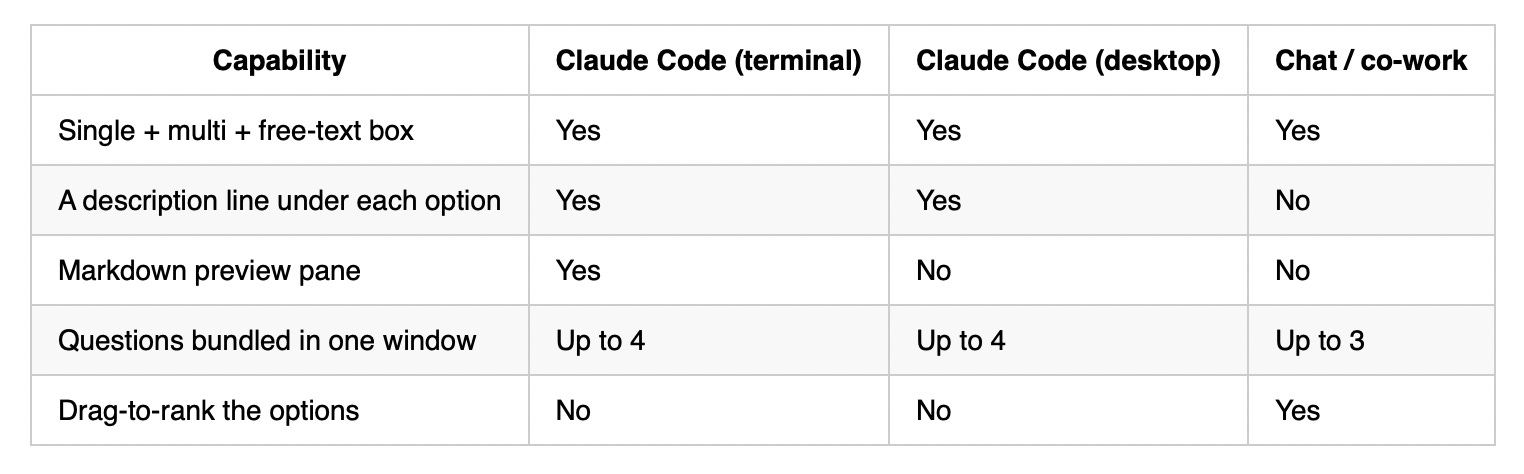
After that it depends on where you are. Here is the short version, then the parts worth spelling out.
Note (and a tip). Nothing from these screenshots is AI-generated, these are screenshots directly from Claude. Unless by AI-generated you mean Claude wrote the questions itself, in which case all of it is, and that is rather the point.
I asked Claude to generate a set of demo questions showing off each feature, so what you are looking at is the real tool doing the exact thing this post is about, which is a feature you can put to work yourself.
The markdown preview pane is the narrowest one, being terminal only.
On a single-select question in Claude Code in the terminal, each option can carry a preview that renders beside the list, so you see the thing before you pick it. It is the right tool when you are choosing between copy, layouts or code.
This is the one feature you do not even get in Claude Code on the desktop, let alone the chat app.
The chat app has one trick Claude Code does not, and it is a nice one: drag-to-rank.
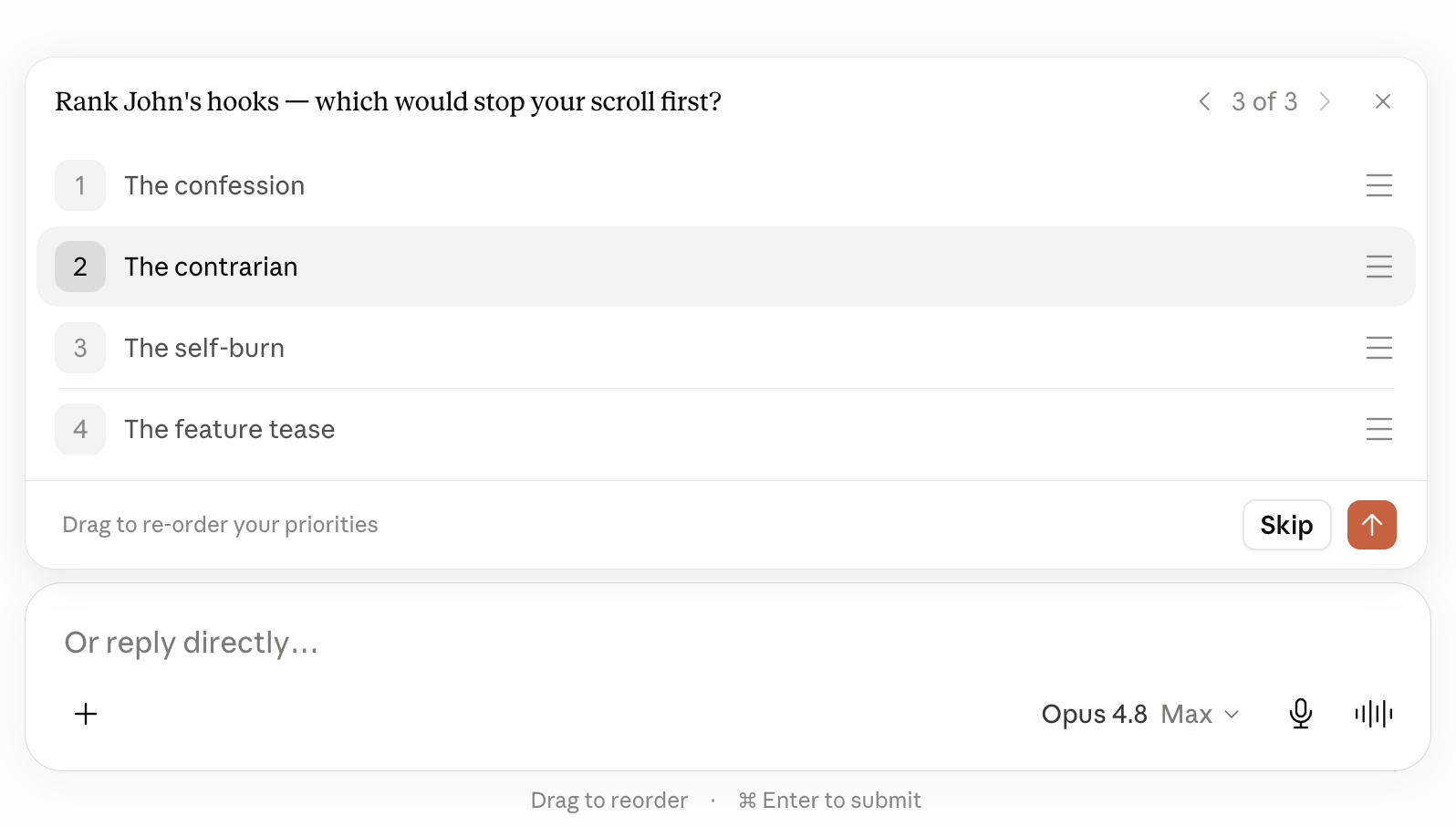
Instead of picking, you drag the options into a priority order, which is the right call when you want a ranking rather than a single choice (”put these in order of which matters most”). I will be honest that I rarely open the chat app for anything beyond a one-off question, so I have barely used it, but it is the one place this lives.
If you want the underlying names, the tool is AskUserQuestion in Claude Code and ask_user_input_v0 in the chat app. Same job, different surface, genuinely different feature sets.
My own take is that Claude Code is the richer of the two by a distance, and the terminal is the richest single surface of the lot.
Side note: skills and agents need AskUserQuestion declared in their frontmatter before they can call it - see one of my marketplace skills here. Plain Claude in an ordinary session does not. That is part of why most people only ever bump into the tool inside plan mode.
The caveat that bites when you build
All of this only matters once you build on top of the tool. If you are putting together a plugin or a skill meant to run in more than one of these places, stick to the common subset - single-select, multi-select, and the free-text box. Those three travel everywhere.
The moment you reach for a preview you are tied to Claude Code in the terminal, the moment you lean on per-option descriptions you are tied to Claude Code, and the moment you want drag-to-rank you are tied to the chat app.
Reach for the richer option only when you know where it is going to run.
Specific call-out here (a learning since starting to write this blog)
One thing I am noticing as a potential AI tool opportunity, is using Cowork to collect feedback or fill in surveys for internal product/internal stakeholders. I can maintain a skill in Claude code with a list of the most common questions I want to ask customers/stakeholders and upload that skill into Cowork. This skill could simply be a list of ask_user_input_v0 boxes of various types acting as a survey.
The additional gain here is that you can add a starter task to the skill to ask the user for permission to use their connectors and try pre-fill the answers into the provided multiple choices, so they have more context to be verified by the person filling in the survey. Speedy research that allows them to verify their own data in real time
Single, multi and the free-text box travel everywhere. Previews are terminal-only, descriptions are Claude Code, ranking is the chat app. Build for the common subset unless you control the surface.
The drop-in prompt
Telling Claude the mechanics is not enough on its own. The original version of this prompt that I shared told Claude how to ask but not when, and that “when” gap is exactly why the tool sat dormant outside plan mode.
It knew the moves and never knew the moment to make them.
The improved block below adds the missing piece. It gives Claude the trigger conditions, a definition of what makes a question worth asking, and a restate-then-build rule so it does not turn around and re-litigate a decision you have already settled. Drop it in as its own skill, bake it into a skill you already have, or just paste it the moment you sense drift.
## Alignment safety rules with AskUserQuestion or ask_user_input_v0

Use AskUserQuestion (or ask_user_input_v0 if you are on Claude desktop or web) to make sure we are aligned before you build anything non-trivial.

When to trigger it:

- before you start building, any time a requirement is ambiguous or you are relying on an assumption
- the moment you sense we are drifting on scope or approach
- only ask what you genuinely cannot settle yourself from the code, the files or the docs

How to ask:

- max 4 questions per window, 2 to 4 options each
- batch independent questions as tabs in one window; if one answer changes the next, ask, wait, then ask the next
- make every option a real, distinct path. No filler, no "it depends"
- put your recommended option first and give the reason in its description
- single-select for "pick one", multi-select for "pick any that apply"
- use preview mode (Claude Code terminal) to show options side by side.
- remember there is always an "Other" box, so phrase options so an answer you did not predict still fits

After I answer:

- restate what we decided in one line, then build. Do not re-ask what I have already settled
Four lines in that block do most of the work: the trigger conditions, the “only ask what you cannot settle yourself”, the recommended-option-first rule, and the restate-then-build rule at the end. Everything else is mechanics you could have guessed.
Close
The styling differences between the clients are genuinely interesting, but the value was never the preview pane or the drag-to-reorder.
The value is the structured answer that Claude then treats as settled ground truth, and that part comes through identically whether you are in the terminal or on desktop. The cheapest way to stop paying frontier-model prices for the wrong output is to make the AI ask before it builds.
I’d love if you subscribed! I’m trying to build a bit of a following to try and help folks in the industry and make their jobs a little bit easier.
Related posts:
How I Finally Sorted My Claude Code Memory | #98

For weeks - months, if I’m honest - I’d been meaning to sort out Claude’s memory. I’d been posting in Slack channels asking about approaches. In Lenny’s, work, trawling random blog posts. Plenty of people had thoughts. Multiple threads, multiple suggestions, with none shining through as a clear winner.
Understanding Claude Code: Skills vs Commands vs Subagents vs Plugins | #95

📖 Updated January 23, 2026 (Reflecting Claude Code 2.1.17)
Very insightful